
Homepage Shortcuts
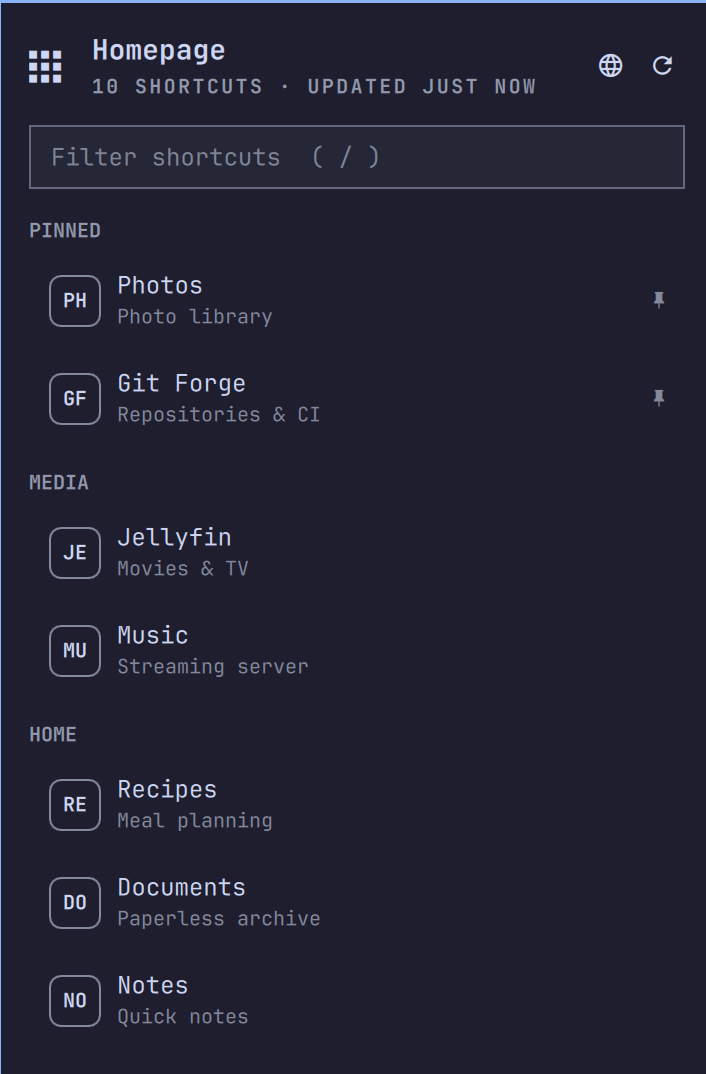
An Omarchy shell bar widget that drops down the services and bookmarks configured on a Homepage dashboard, so anything on the dashboard is one click away from the top bar.
The dashboard's config is the single source of truth: the widget reads
Homepage's own /api/services and /api/bookmarks endpoints, so adding,
renaming, or removing a service on the dashboard is all it takes for the
dropdown to follow.
Install
omarchy plugin add git@github.com:bscott/homepage-oma-plugin.git --enable
Then set your Homepage URL in the widget's settings (or in the widget's
shell.json entry as "baseUrl"). Until it is set, the dropdown shows a
hint instead of shortcuts.
To remove the plugin:
omarchy plugin remove bscott.homepage
Removal leaves your Homepage dashboard untouched. The widget's own data is
two small directories you can delete if you want a full cleanup:
~/.local/state/omarchy-homepage-widget/ (pins) and
~/.cache/omarchy-homepage-widget/ (fetch cache).
Upgrading from 1.x: version 2.0.0 renamed the plugin id from
net.dogdragon.homepagetobscott.homepage. After updating, change the widget'sidin yourshell.json(and any keybindings that call the old IPC target) to the new name. Pins and settings are otherwise unaffected.
Behavior
- Bar icon (apps grid): left-click toggles the dropdown, right-click refreshes the list, middle-click opens the dashboard itself.
- Dropdown: shortcuts grouped exactly as Homepage groups them, each with a monogram tile, name, and description. Click one to open it in the browser.
- Pinned favorites: pin any shortcut to a "Pinned" group at the top —
right-click a row, press
pon it, or use the pin button that appears under the cursor. Pins keep the order you pinned them in, persist in~/.local/state/omarchy-homepage-widget/pins.json, and survive a pinned service temporarily disappearing from the dashboard. - Keyboard:
↑/↓orj/kto move,Enter/Spaceto open,/to focus the filter field,pto pin/unpin,rto refresh,oto open the dashboard,Escto close. In the filter field:Enteropens the selected match,↓returns to the list,Escclears then unfocuses. - Staying up to date: the list re-fetches on a configurable interval (default 5 minutes) and on panel open once it is more than a minute old.
- Offline: the last successful fetch is cached on disk
(
~/.cache/omarchy-homepage-widget/) and served — labeled as cached — when Homepage is unreachable, so the dropdown never empties out on a VPN blip.
Settings
Configured per-instance in shell.json (or via the shell's widget settings):
| Key | Default | Meaning |
|---|---|---|
baseUrl |
(unset) | Homepage instance to mirror, e.g. https://homepage.example.com |
refreshIntervalSec |
300 |
Background refresh cadence |
includeBookmarks |
true |
Also list bookmark groups |
openCommand |
xdg-open |
Command that receives a shortcut URL |
IPC
omarchy-shell bscott.homepage toggle    # also: open / close
omarchy-shell bscott.homepage refresh
omarchy-shell bscott.homepage status
omarchy-shell bscott.homepage pin "https://photos.example.com"   # toggles
omarchy-shell bscott.homepage pins
toggle is handy behind a Hyprland keybinding.
Requirements
curl and jq (both ship with Omarchy).