
dizziee.system-updates
System update indicator for the Omarchy bar. Shows available updates from pacman, AUR, Flatpak, and Omarchy, with per-repo update buttons.
Requirements
checkupdates(frompacman-contrib)- AUR helper (
yay,paru, etc.) — optional, AUR detection is automatic flatpak— optional
Installation
omarchy plugin add https://github.com/JJDizz1L/dizziee.system-updates.git --enable
Then place it in your bar layout with
omarchy bar plugin add dizziee.system-updates [--section <left|center|right>]</br>
Suggested placement:
omarchy bar plugin add dizziee.system-updates --section center
You can validate the plugin at any time with:
omarchy plugin validate ~/.config/omarchy/plugins/dizziee.system-updates
Configuration
Configuration lives in ~/.config/omarchy/shell.json.
| Key | Type | Default | Description |
|---|---|---|---|
refreshIntervalSec |
integer (300–7200) | 1800 | How often to check for updates (seconds) |
alwaysShow |
boolean | true | Keep icon visible even when no updates are available |
How updates work
The Arch update button runs a direct pacman system upgrade:
sudo env OMARCHY_ALLOW_DIRECT_PACMAN=1 pacman -Syu
Omarchy installs a pacman hook (omarchy-update-pacman-guard) that aborts a bare sudo pacman -Syu to route updates through omarchy update — which handles the transcript, snapshot, keyrings, migrations, and post-update hooks. The OMARCHY_ALLOW_DIRECT_PACMAN=1 env var opts this one transaction past that guard: it upgrades packages directly and skips Omarchy's update pipeline. For the full managed flow, run omarchy update instead.
AUR updates run through your helper (yay -Sua / paru -Sua) and Flatpak through flatpak update.
The Omarchy update button opens your terminal and runs omarchy update — the full managed Omarchy update pipeline (transcript, snapshot, keyrings, migrations, and post-update hooks).
Preview
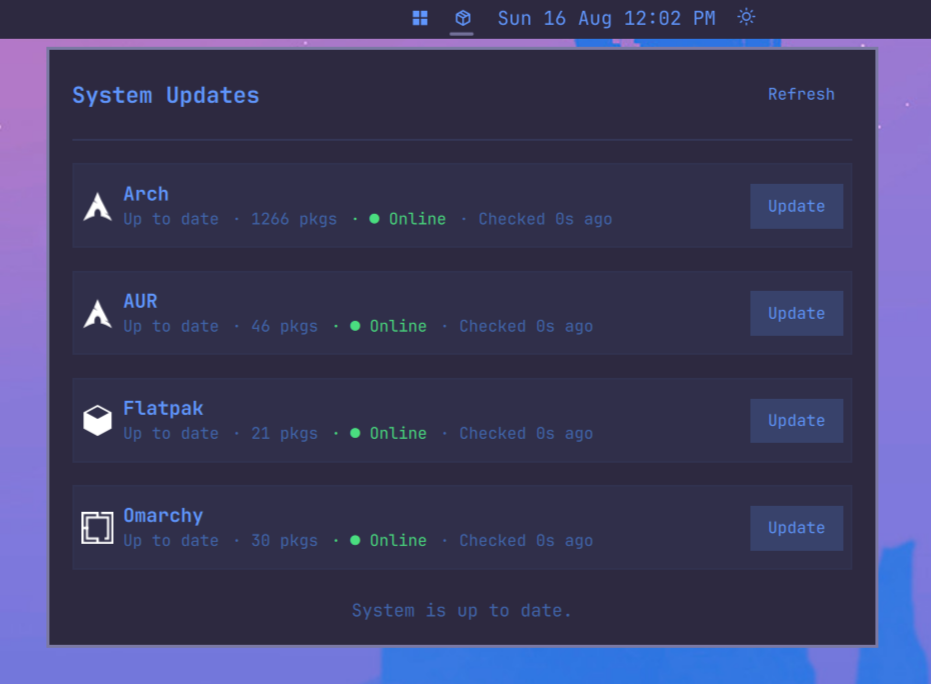
Uninstall
omarchy plugin remove dizziee.system-updates
License
MIT